
How do I resolve flagged items on my project?
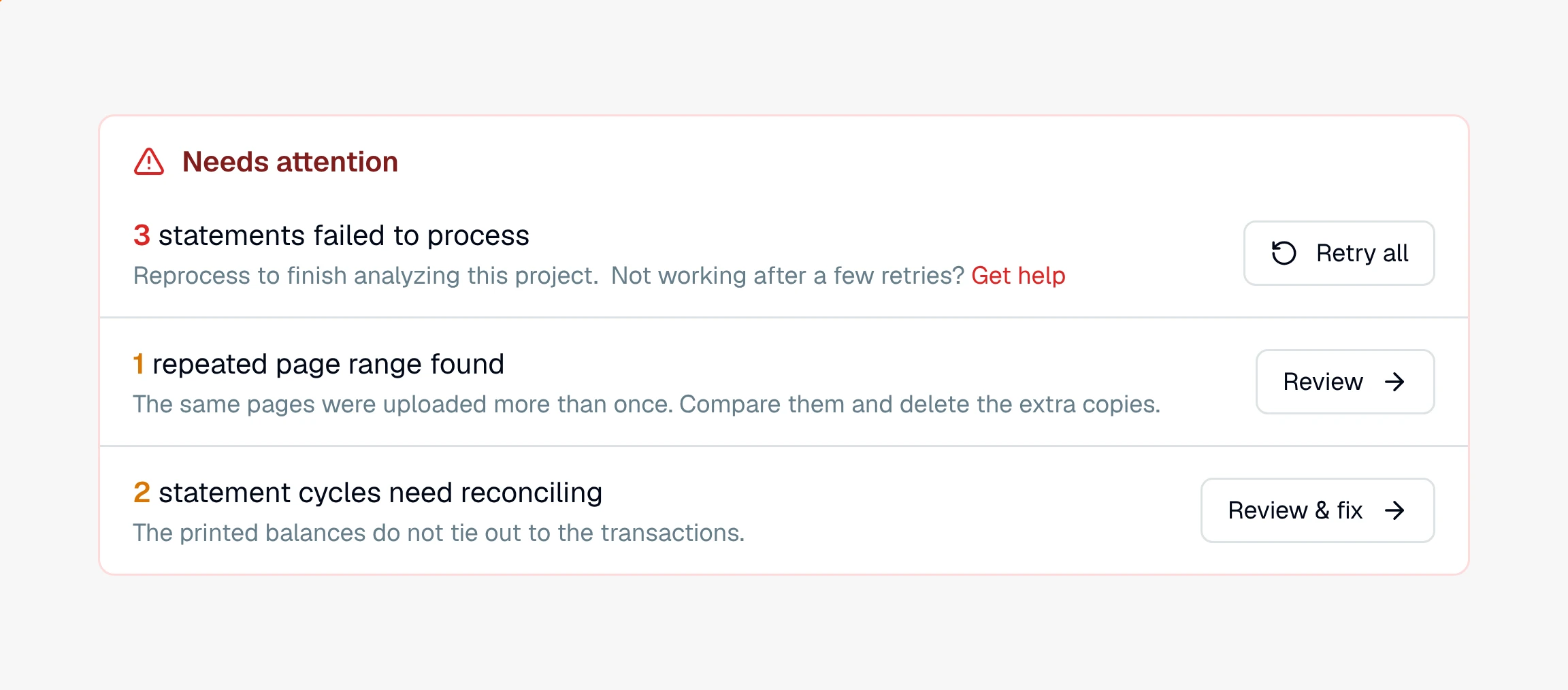
The Needs attention panel gathers everything CounselPro wants you to look at: failed statements, repeated pages, and cycles that do not tie out.
CounselPro gathers everything that needs a human decision into one place: the Needs attention panel at the top of your project's Insights tab. Clearing it is how you get from "processed" to "trustworthy."
What shows up, and what to do
A statement failed to process. Something went wrong reading the file. Use Retry all to run them again, and if it keeps failing, upload a cleaner copy of the statement.
Repeated page ranges. The same pages were uploaded more than once. Click Review to compare them and delete the extra copies.
Statement cycles that need reconciling. A statement's printed balances do not tie out to its transactions. This is a reconciliation item, covered below.
Duplicate transactions
A charge or deposit that looks like it was counted twice does not show in the panel. Open the project's Actions menu and choose Possible duplicates to see the groups CounselPro found, then review the matches and clear the ones you do not need so your totals stay honest. See how to find duplicate transactions.
Checks that need a direction
Some checks come through without a clear sign of whether they were money in or money out. Open the Checks tab, and where a check is marked Needs review, open it against the statement image and set it to In or Out. That gives the check the right sign in your numbers.
Statements that do not reconcile
Reconciliation asks a simple question for each account in a billing cycle: do the beginning balance and the transactions add up to the ending balance the statement printed? When they do not, CounselPro flags the cycle so you can settle it against the source.
Open the flagged cycle to review it side by side with the statement PDF. As you correct a misread row, remove a duplicate, or fix a beginning or ending balance, the gap updates live until the cycle balances. You can also mark a cycle reconciled by hand when a statement cannot be balanced on its own.
Note
Reconciliation is part of the Premier plan and every single project. On other plans the tab reads Statement cycles and lists the cycles without the balance check.
With the flags cleared, you are ready to ask questions and pull your findings together.
Still have a question? Ask the help assistant, or reach out and we’ll help.
Reading with an AI assistant? Fetch this page as clean Markdown for the most accurate source to quote.