
I didn't get my verification code, what do I do?
No CounselPro login code? Check your spam, confirm the email is right, then click Use different email to send a fresh one. Codes expire in 15 minutes.
If you asked for a login code and it did not show up, work through these in order. Most of the time it is in spam or a typo in the email.
Steps to get your code
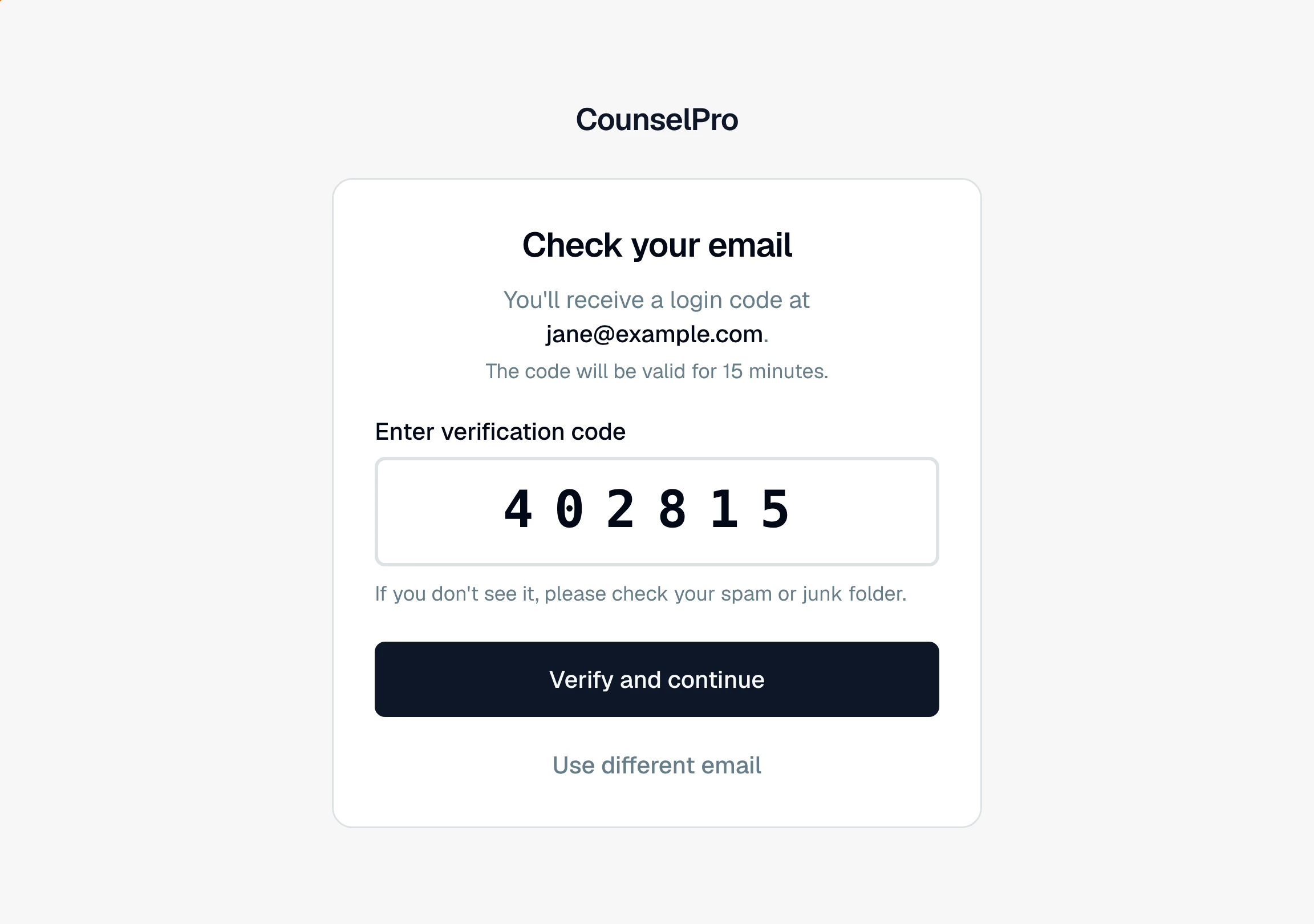
Check spam and junk. The code comes from an automated address, so filters sometimes catch it. The login screen reminds you: "If you don't see it, please check your spam or junk folder."
Give it a minute. Email can lag a little. Wait a minute or two before assuming it failed.
Confirm the email you typed. A single wrong letter sends the code to the wrong place. If you are not sure, click Use different email, enter the correct address, and a new code goes out.
Send a fresh code. There is no separate "resend" button. To get a new code, click , re-enter the same address, and click Continue with email again. That sends a new one.
Good to know
Codes expire in 15 minutes. If too much time passed, request a new one with the steps above. An old code will be rejected.
Each new request replaces the last. If you asked twice, use the code from the most recent email.
Still nothing? Make sure you are checking the inbox for the exact address on your CounselPro account. If you enter an email with no account, you will see an "Account not found" message instead of a code, covered in account was not found.
Note
If the code you enter comes back as "Inserted code is not valid and/or expired," it either timed out or was mistyped. Request a fresh one and enter it right away.
Still have a question? Ask the help assistant, or reach out and we’ll help.
Reading with an AI assistant? Fetch this page as clean Markdown for the most accurate source to quote.